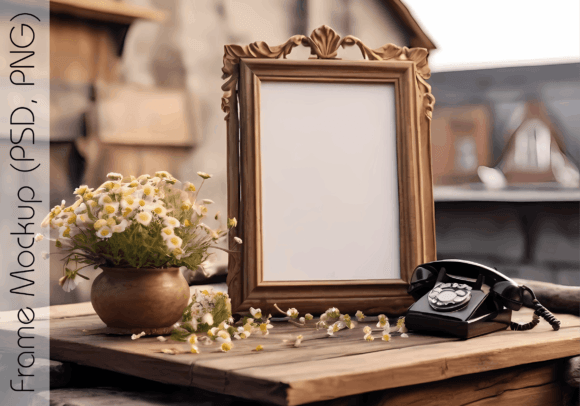
Mastering the 3D Mockup for Designers
In the digital age, the gap between a flat design file and a tangible product is bridged by visualization tools. A 3D mockup serves as this essential bridge, allowing creators to present their artwork in a realistic, three-dimensional context without the need for physical prototypes. Whether you are an entrepreneur launching a new brand or a freelancer showcasing your latest portfolio piece, the ability to display designs on realistic surfaces significantly enhances perceived value. This guide explores how utilizing high-quality, editable mockups can transform your presentation strategy across various industries and skill levels.
Understanding the Value of Realistic Presentation
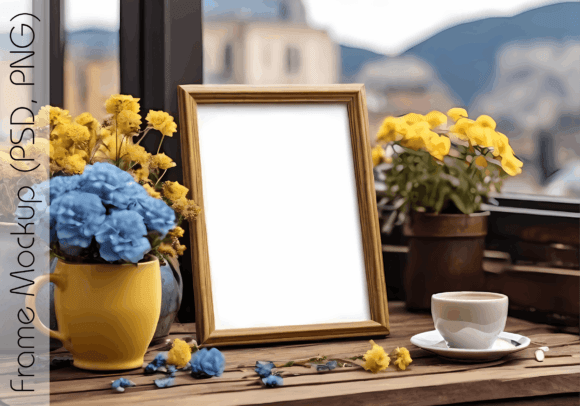
At its core, a 3D mockup is a digital template that simulates how a two-dimensional design will look when applied to a three-dimensional object. These templates are typically created using advanced rendering software and delivered as layered files, such as PSD (Photoshop Document) formats. The primary advantage lies in the official ratio and perspective accuracy. For instance, a standard 3x4 ratio ensures that your artwork fits perfectly within designated spaces, maintaining proportions that look natural to the human eye.
For professionals, the distinction between a flat JPEG and a rendered 3D environment is critical. It provides depth, shadow, and texture, which are psychological cues that signal quality to potential clients. When you place your design into a well-organized PSD file, the software automatically maps your artwork onto the object’s surface, adjusting for curves and lighting. This process saves hours of manual editing while delivering a result that looks photographically real.
Tailoring Usage to Your Professional Role
Different users approach 3D mockups with varying priorities. Understanding how your specific role influences your needs can help you select the right tools and workflows.
For Entrepreneurs and Small Business Owners
If you run an online shop, your product images are your primary sales tool. Customers cannot touch or hold your items, so they rely on visual cues to judge quality. Using a high-resolution 300 DPI mockup allows you to create crisp, zoomable images for your e-commerce platform. You can test different colorways or design variations instantly without printing physical samples. This flexibility reduces upfront costs and accelerates time-to-market. By placing your artwork on social media platforms using these realistic previews, you generate engagement and trust before a single unit is manufactured.
For Graphic Designers and Freelancers
Freelancers often compete in saturated markets where presentation distinguishes the winner from the runner-up. A fully editable PSD file enables you to customize every aspect of the presentation. You can adjust sizes, tweak lighting, or change background elements to match a client’s brand identity. The key here is efficiency. Well-organized layers mean you can swap out designs in seconds, allowing you to present multiple concepts during a pitch meeting. This speed demonstrates professionalism and respect for the client’s time, enhancing your commercial value.
For Marketers and Social Media Managers
In the fast-paced world of social media, content must be visually striking and produced quickly. A 3D mockup with a versatile 3x4 ratio is ideal for platforms like Instagram and Pinterest, which favor vertical or square formats. Marketers can use these templates to create cohesive campaign visuals that maintain brand consistency. The ability to easily edit PNG or PSD files means you can adapt one core design into multiple formats for stories, posts, and ads, ensuring a unified aesthetic across all channels.
Technical Considerations for High-Quality Results
To maximize the impact of your 3D mockup, attention to technical details is necessary. Not all templates are created equal, and understanding the file specifications ensures you achieve the best possible outcome.
- Resolution Matters: Always opt for files labeled as 300 DPI (dots per inch). This resolution is the industry standard for print-quality images. Even if you are only displaying work digitally, starting with a high-resolution source ensures that your images remain sharp on retina displays and high-definition screens.
- Editable Layers: A truly useful mockup features smart objects. This technology allows you to double-click a layer, paste your design, and save, with the changes automatically reflecting in the main composition. Look for descriptions that mention "fully editable" and "well-organized PSD files" to ensure a smooth workflow.
- Aspect Ratio Flexibility: While a 3x4 official ratio is common for posters and book covers, the best templates allow you to adjust sizes as you like. This adaptability ensures that whether you are designing a small label or a large banner, the perspective remains accurate.
Bridging the Gap for Beginners and Hobbyists
You do not need to be a seasoned Photoshop expert to benefit from 3D mockups. Many beginners hesitate to use these tools, fearing a steep learning curve. However, modern templates are designed with inclusivity in mind. If a file is described as "easy to edit," it usually means the complex technical work has already been done for you.
For hobbyists and educators, these tools offer significant learning value. Students can visualize their projects in a professional context, helping them understand spatial relationships and design scaling. Educators can use mockups to provide constructive feedback on how a design interacts with physical constraints, such as folds, shadows, and material textures. By experimenting with personal projects, beginners build confidence and develop a keen eye for detail that translates to professional work.
Commercial Use and Licensing Clarity
One of the most important aspects of using digital assets is understanding licensing terms. Many creators worry about legal restrictions when using templates for client work. A robust 3D mockup package often includes permissions for both Personal and Commercial Use. This means you can use the mockup to display your artwork in your online shop, include it in client presentations, or feature it in advertising campaigns without additional fees.
However, it is crucial to note what is not included. Typically, the artworks shown in preview images are for display only and are not part of the download. You must supply your own designs. This distinction protects intellectual property rights and ensures that you are the sole owner of the final composite image. Always verify that the license allows for the specific type of commercial activity you plan to undertake, such as selling printed products versus using the image for digital marketing.
Making the Right Choice for Your Workflow
When evaluating whether a specific 3D mockup matches your goals, consider your long-term usefulness requirements. A one-time project might tolerate a lower-quality free template, but a recurring business need demands reliability and consistency. Invest in templates that offer:
- Versatility: Can the mockup handle different types of artwork? A flexible design accommodates various styles, from minimalist logos to complex illustrations.
- Support and Updates: Reputable creators often update their files to improve compatibility with newer software versions.
- Community Feedback: Look for recommendations and reviews. If other users appreciate the organization and ease of use, it is likely a safe bet for your workflow.
Ultimately, the goal is to enhance your creative output, not hinder it with technical frustrations. By choosing a well-structured, high-resolution 3D mockup, you empower yourself to present your ideas with clarity and professionalism. Whether you are refining a portfolio, launching a product, or teaching design principles, these tools provide the visual fidelity needed to make a lasting impression.
If you find a resource that meets these standards and elevates your work, consider sharing your experience. Recommending high-quality tools helps the broader creative community discover reliable assets, fostering an environment of shared growth and excellence. Your feedback not only supports creators but also guides fellow designers toward better solutions for their visual storytelling needs.